 Scoped SEO
 Add to Chrome
Saved Audits
Save a full audit on your device and reopen it later exactly as it was recorded, with no rescan.
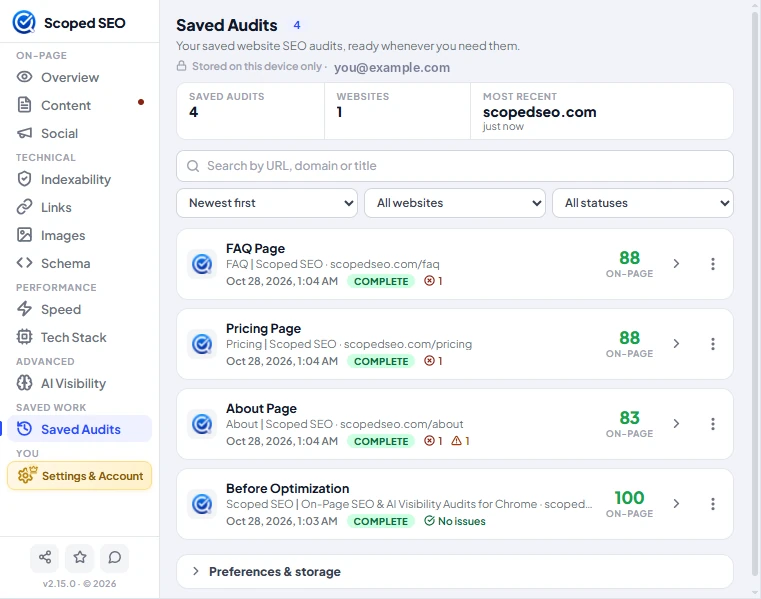
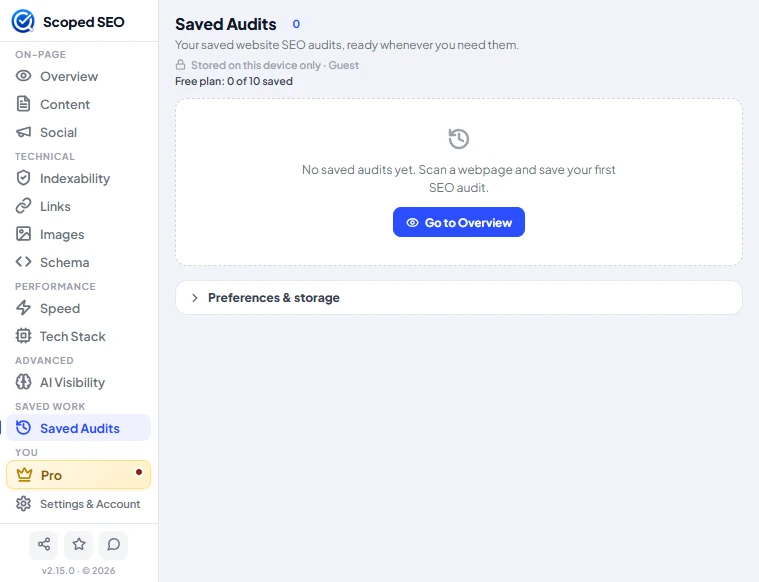
Saving an audit
Open the quick actions button and choose Save audit. You can also turn on auto-save in Preferences & storage at the bottom of this screen (it's off by default, and it's a per-account setting). Scoped SEO saves the full result for that page, including every tab.
- Free: up to 10 saved audits. Pro: unlimited. The screen shows "Free plan: 0 of 10 saved" so you can see your allowance.
- Saving the same URL again can create another snapshot or replace the earlier one, and you're asked which.
Finding and managing audits
The list has search (title, domain, URL and custom name), newest or oldest sorting, a domain filter, a complete or partial filter and summary tiles. Each row has actions: View, Open Website, Re-run, Rename, Export and Delete (with confirmation).
- Re-run can live-scan only when the active tab is already on the saved URL. Otherwise it opens the page and asks you to click the toolbar icon, because the extension can only read a page you've opened it on.
- Export produces CSV, DOCX or PDF from the list or from inside a snapshot.
Reopening is not rescanning
Opening a saved audit re-renders every tab from the stored findings under a Saved Snapshot banner showing the saved date, the scan date, the extension version, the tested URL and the measurement context.
- Sections that weren't collected, for example because the audit was saved by an older version, show Not Recorded.
- Stored scores are the scores at the time of saving. Detail tabs are re-judged from the stored raw findings with the current rules, and the banner says when versions differ. Saved audits are never rescored or rechecked.
Where your audits live
- On this device only, in your browser's own IndexedDB storage. Nothing is uploaded or synced. The screen says "Stored on this device only".
- Per owner. Audits saved as a guest and audits saved while signed in are kept apart. Signing out never deletes anything. Guest audits are not shown after you sign in, and there is no move-to-account step.
- Gone if you clear site data or switch to another browser profile. Export them first from Data & Privacy if you want a backup.
- There is no unlimited-storage permission. Very large histories depend on your browser's storage quota.
What is stripped before saving
URL credentials, authentication-style parameters (token, key, code, session and similar) and fragments are removed. Inline data: images over 512 characters are dropped. Raw HTML and cookies are never stored, and a snapshot is capped at 8 MB.