 Scoped SEO
 Add to Chrome
Links
Every internal, external and image link on the page with its attributes, plus an optional status check you start yourself.
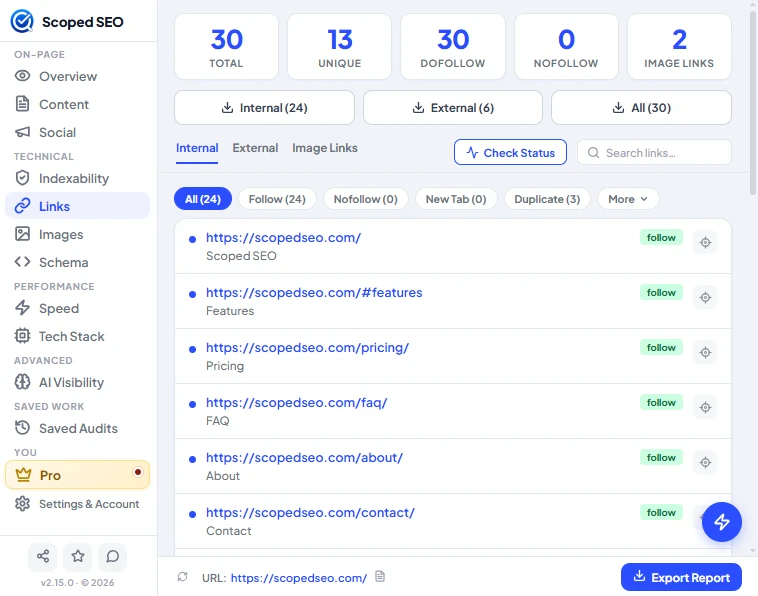
Summary and lists
Five tiles show Total, Unique, Dofollow, Nofollow and Image links. Three export buttons download Internal, External or All links as CSV. Beneath, three sub-tabs list Internal, External and Image Links, with a search box and filter chips: All, Follow, Nofollow, New Tab, Duplicate and More.
Each row shows the full URL, the anchor text or accessible name, a rel badge, and a target button to locate the link on the page. Every duplicate occurrence has its own locate button.
How links are classified
- Internal vs external.
wwwand non-wwwcount as the same site, so both are internal. A different subdomain counts as external and is labelled "subdomain". - Relative, absolute, protocol-relative and fragment links are resolved against the page's base address, including a
base hreftag. A#fragmentlink on the same page is an in-page anchor and is never requested. - Not listed:
mailto:,tel:,javascript:, empty, invalid and other-scheme links. A one-line note under the filters counts them. - Duplicates are found by normalised destination: scheme and host lower-cased, default port dropped, fragment ignored. Trailing slash,
www, query string, path case and HTTP versus HTTPS are treated as real differences.
Check Status
Check Status is optional and does nothing until you press it. It asks each unique link destination how it responds, so you can see which links work.
What happens when you press it
- Browser permission. For sites you haven't already allowed, your browser asks for access to that exact site. You can decline. A declined site reads Not Verified, and everything else keeps working.
- Requests go out without your cookies and without a referrer. Same-site links are requested through the page itself. Addresses that look private, such as
localhost, private IP ranges,.localand.internalnames, are never requested, except links on the audited page's own origin. - A status strip appears under the filters with progress, then a summary, the time, a note about sites that weren't checked because access wasn't granted, and a Remove site access link that revokes what the extension added.
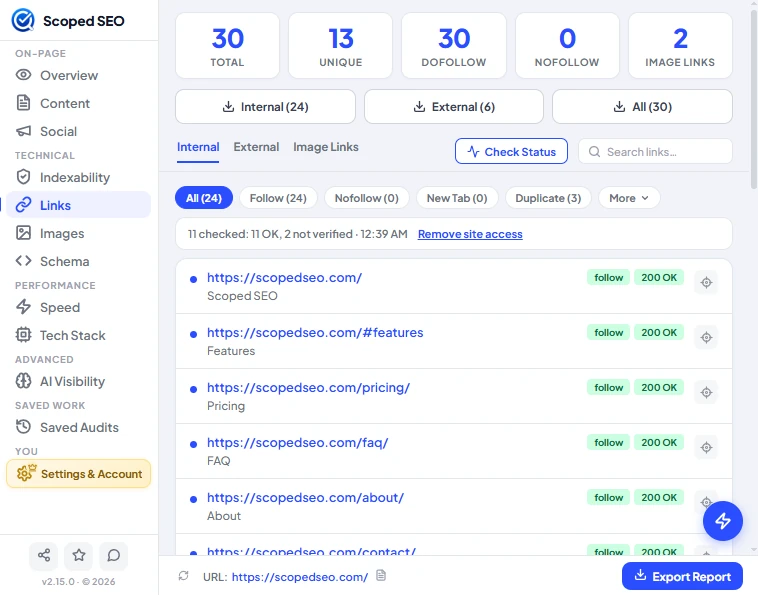
How a response becomes a label
- A HEAD request is sent first. A GET asking for one byte confirms a doubtful HEAD (404, 410, 405, 5xx) or follows a dropped connection. URLs that look like actions (log out, unsubscribe, delete, add to cart) never get a GET.
- Broken needs a 4xx answer confirmed by GET. A 401, 403, 408, 429, 451 or a timeout is never called broken.
- A redirect shows its final URL and status only when the browser exposes them. No chain is ever invented.
- Limits: six requests at once, two per host, an 8 second timeout, and at most 250 unique destinations per run. A host that answers 429 is left alone for the rest of the run. You can cancel at any time.
Results are kept for 30 minutes (up to five pages) and restored if you reopen the popup or rescan the same page. Closing the popup stops a run in progress, and partial results come back when you reopen it. Navigating the tab away stops the run and applies nothing to the new page.
A saved audit stores a completed check with its timestamp. An audit saved without a check says Not Verified, and one saved by an older version says Not Recorded. Saved audits are never rechecked automatically.
Exporting links
The CSV exports include source URL, destination, anchor text or accessible name, scope, attributes, new tab, duplicate count, verification state, status, redirect destination and verified-at time. Nothing is invented: unverified links say Not Verified.