 Scoped SEO
 Add to Chrome
Settings and Account
Sign in, set preferences, brand your reports, manage your subscription and control the data stored on your device.
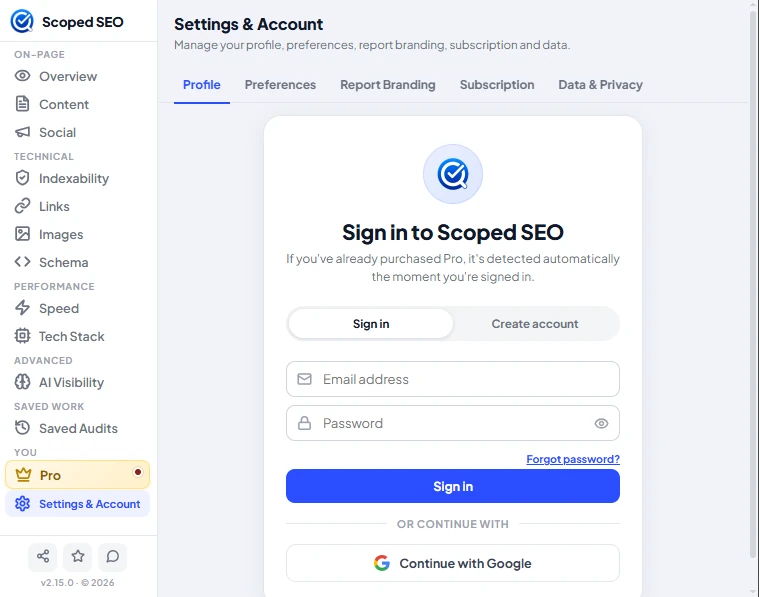
Five tabs, all reachable with the arrow keys, Home and End. An account is optional. You only need one to use Pro.
Profile
Signed out, you can sign in or create an account with an email and password, or Continue with Google. If you've already bought Pro, it's detected automatically the moment you sign in. Forgotten passwords are reset by an emailed link.
Signed in, the tab shows your initials, name, email, whether the email is verified, your plan, when the plan was last checked, and the devices that are signed in. You can Refresh, Sign out, and sign out other devices. To change your name or picture, use the link to the account page on this website. Sessions expire after 90 days.
Preferences
| Preference | Default | What it does |
|---|---|---|
| Auto-save audits | Off | Saves each audit automatically. Per account, and the same switch as in Saved Audits. |
| Default opening section | Overview | Which tab opens when you start the popup. It never overrides a tab you clicked. |
| Show Quick Actions Button | On | Shows the round lightning button. |
| Default export format | Which format leads the export menu. | |
| Shrink this window while locating | On | Collapses the popup to a small bar after Locate. |
| Label highlighted elements | On | Shows the small label on the outline. |
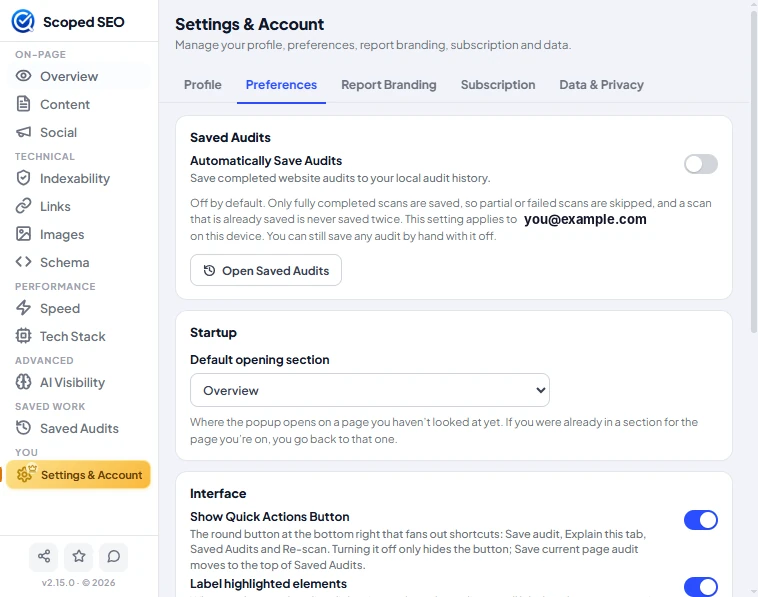
Changes apply immediately, with a saved or error note on each row. Restore Defaults asks for confirmation first. Settings live in your browser's local extension storage and are not synced.
Report Branding (Pro)
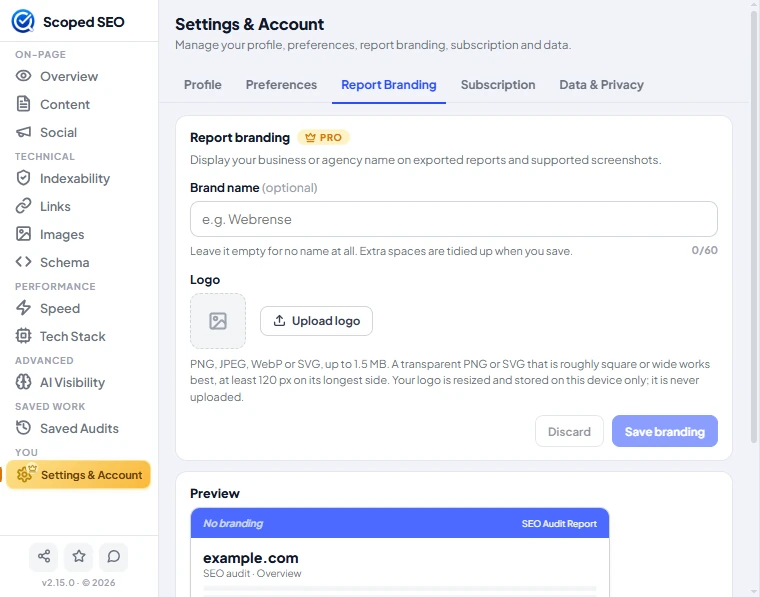
Add a brand name (up to 60 characters) and upload a logo. A live preview mirrors the PDF header, the "Prepared by" line, the footer and the screenshot strip. Save and Discard work like any form, and you're warned about unsaved changes. Corrupted or disguised image files are rejected.
Free accounts see a locked state with Sign in or Upgrade. Branding you stored earlier is kept for when you upgrade, but isn't applied to Free exports.
Subscription
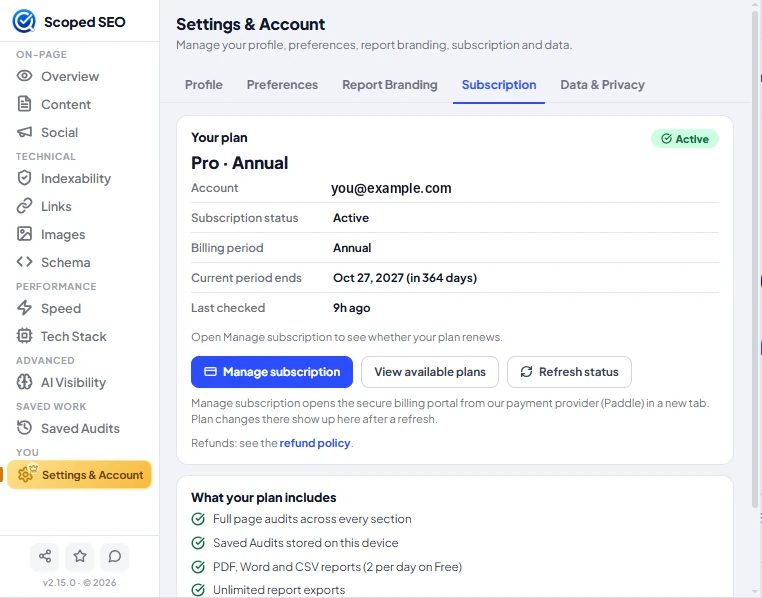
Shows what the server returns: plan, status, period end and when it was last checked. Manage opens the billing portal, where you can update payment details or cancel. Upgrade opens the Pro plans. Refresh re-checks now.
- Your plan is verified with the server and cached. It is re-checked about once a day, and Pro keeps working for up to 7 days offline.
- If you bought with a different email than your account's, paste the license key from your confirmation email to link the purchase.
- Cancelling keeps Pro active until the end of the period you've paid for.
Data & Privacy
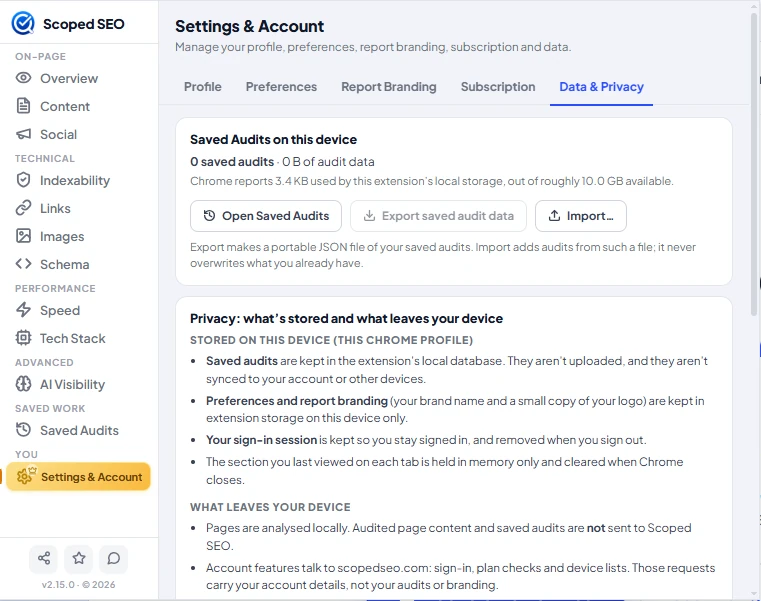
- Usage for the current sign-in, with a link to open Saved Audits.
- Export your saved audits to a file. A warning reminds you the file can contain page data. Import validates a file before adding anything: malformed, wrong-format, newer-version and duplicate entries are handled safely.
- Three separate destructive actions, each with its own confirmation: Restore preferences, Remove branding and Delete all saved audits. Delete-all only affects the current owner's audits.
- The privacy text on this tab matches the Privacy Policy, with links to it and the Terms.